How to cut a watch stem and case a movement
Casing the movement is where most first builds go wrong. Here is how to get the stem out, cut it to the right length and close the case properly.
Fitting the dial and hands gets all the attention, but casing the movement is where most first builds go wrong. The stem has to come out and go back in without upsetting the keyless works, it has to be cut to exactly the right length for your crown and case, and the movement has to sit at the right height so the crown lines up with the tube. Get any of those slightly off and you end up with a crown that sticks out, a stem that won't click into place, or a date that won't change.
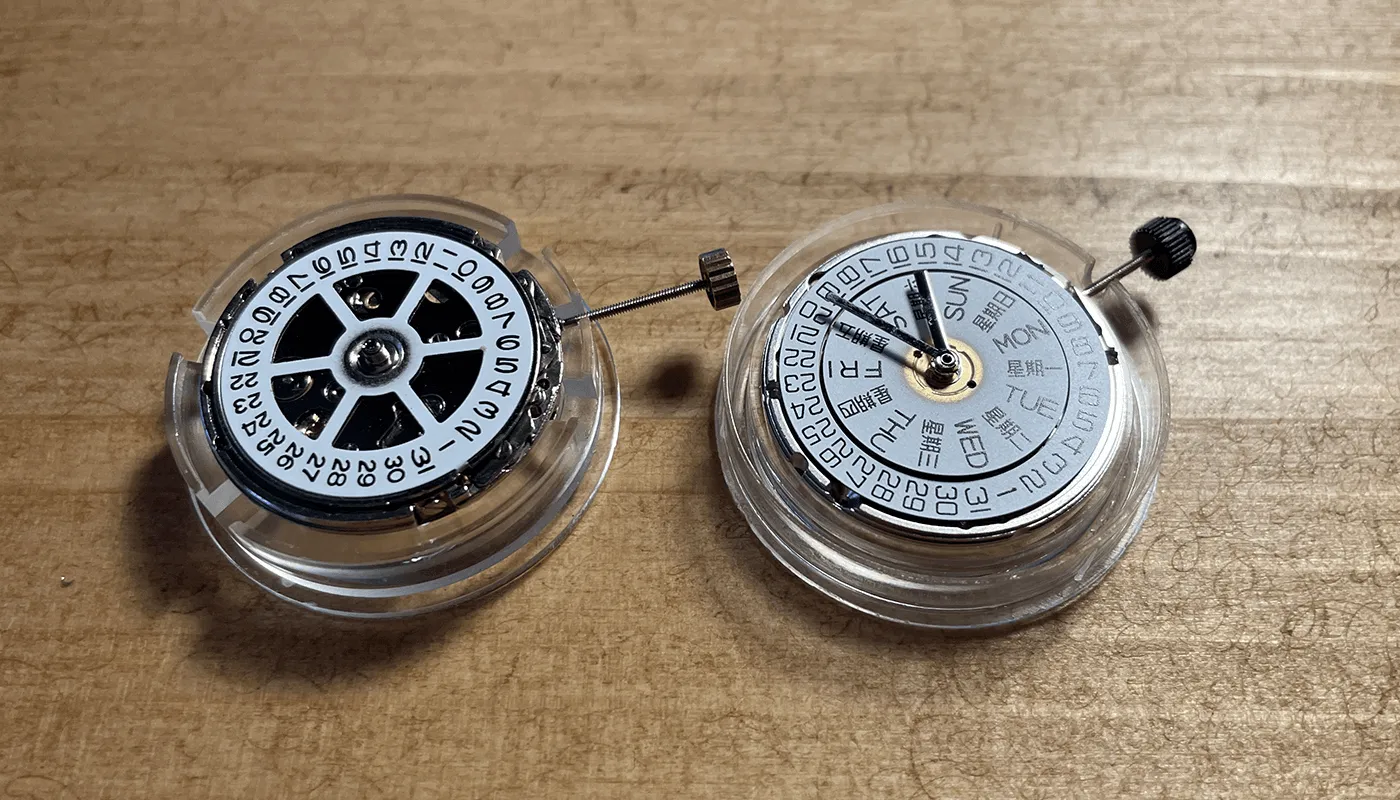
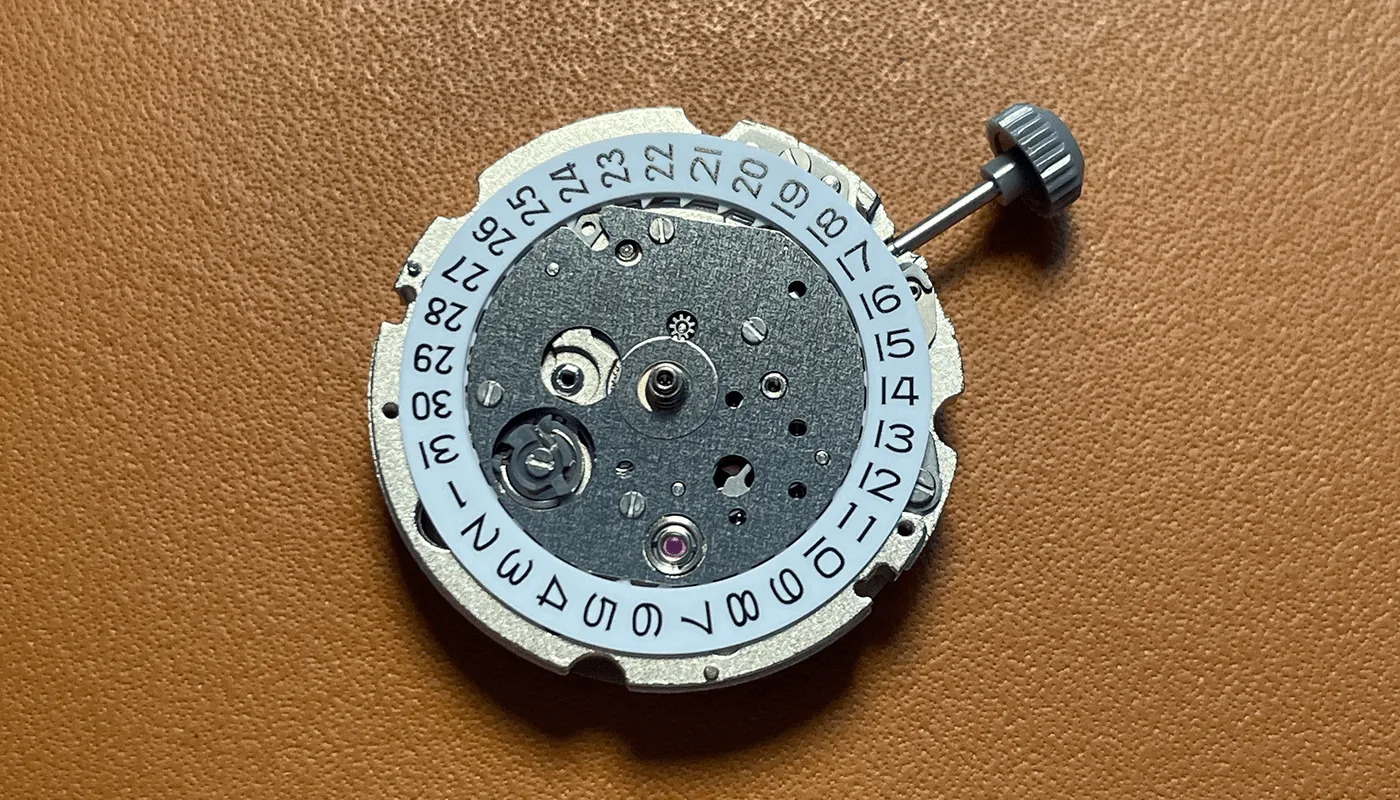
This guide covers the movements I use on this site: the Asian 2813, the 2824 and 2836 clones, and the Miyota 8215. If you're earlier in the process, start with how to build your first watch and how to fit watch hands, then come back here.
What you need
- A movement holder or cushion to work on
- Fine tweezers and a small flat screwdriver for the stem release
- Digital calipers for measuring the stem and the gap to the case
- Cutting pliers (end cutters) and a fine file or a stone for chamfering
- A pin vice or flat pliers to hold the stem while you cut and file
- Silicone gasket grease, a dust blower and a case back opener to suit your case
Most of these are on my tools page. The calipers and cutters are the two you really can't do without for this job.
Removing and refitting the stem
On all of these movements, pull the stem out to the setting position and then push it back into the winding position (fully in) before you release it. Taking the stem out from any other position is the easiest way to knock the setting lever out of place, which is the usual reason a stem then refuses to go back in.
2813
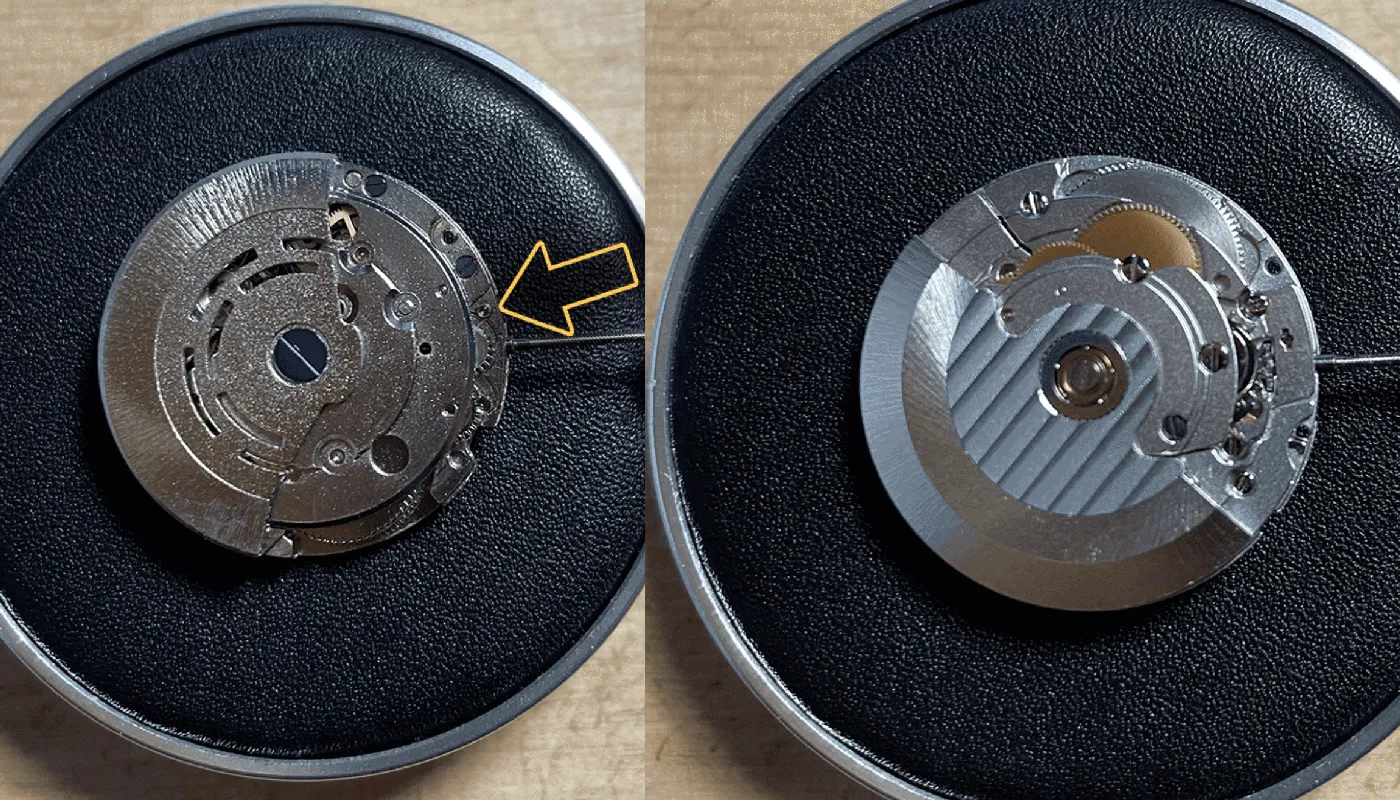
The 2813 is the easiest. With the stem in the winding position, press into the small release hole next to the stem (arrowed on the left above) with the tip of your tweezers and pull the stem out gently. I compare this with the 2836 in my 2813 vs 2836 post.
2824 and 2836 clones
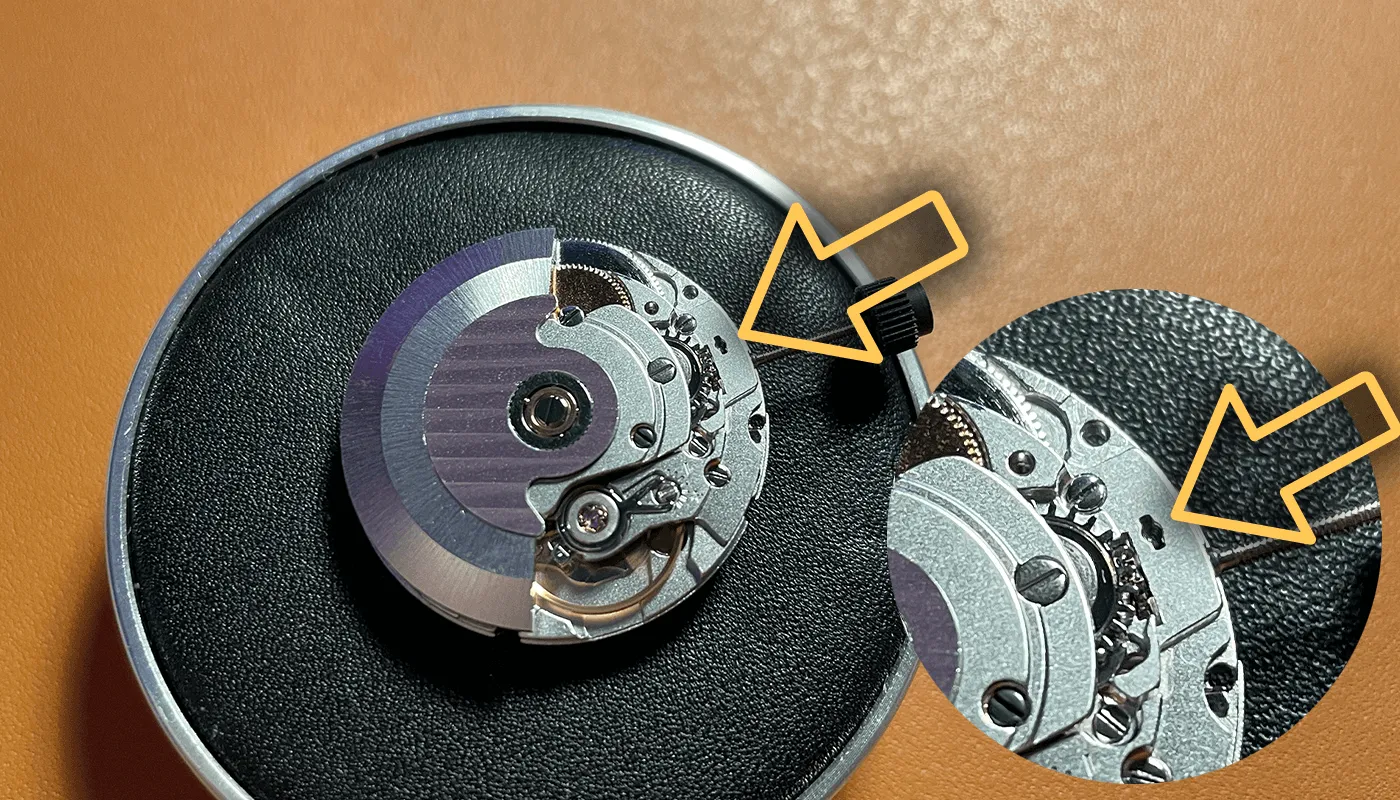
The 2824 and 2836 use the same keyless design, so the method is identical. Use a small screwdriver rather than pointed tweezers, place it on the release just above where the stem enters the movement, and press lightly while you pull the stem. You need very little pressure. Push too hard and you can lift the setting lever right out of position, and the stem won't go back in until it's reseated.
Miyota 8215
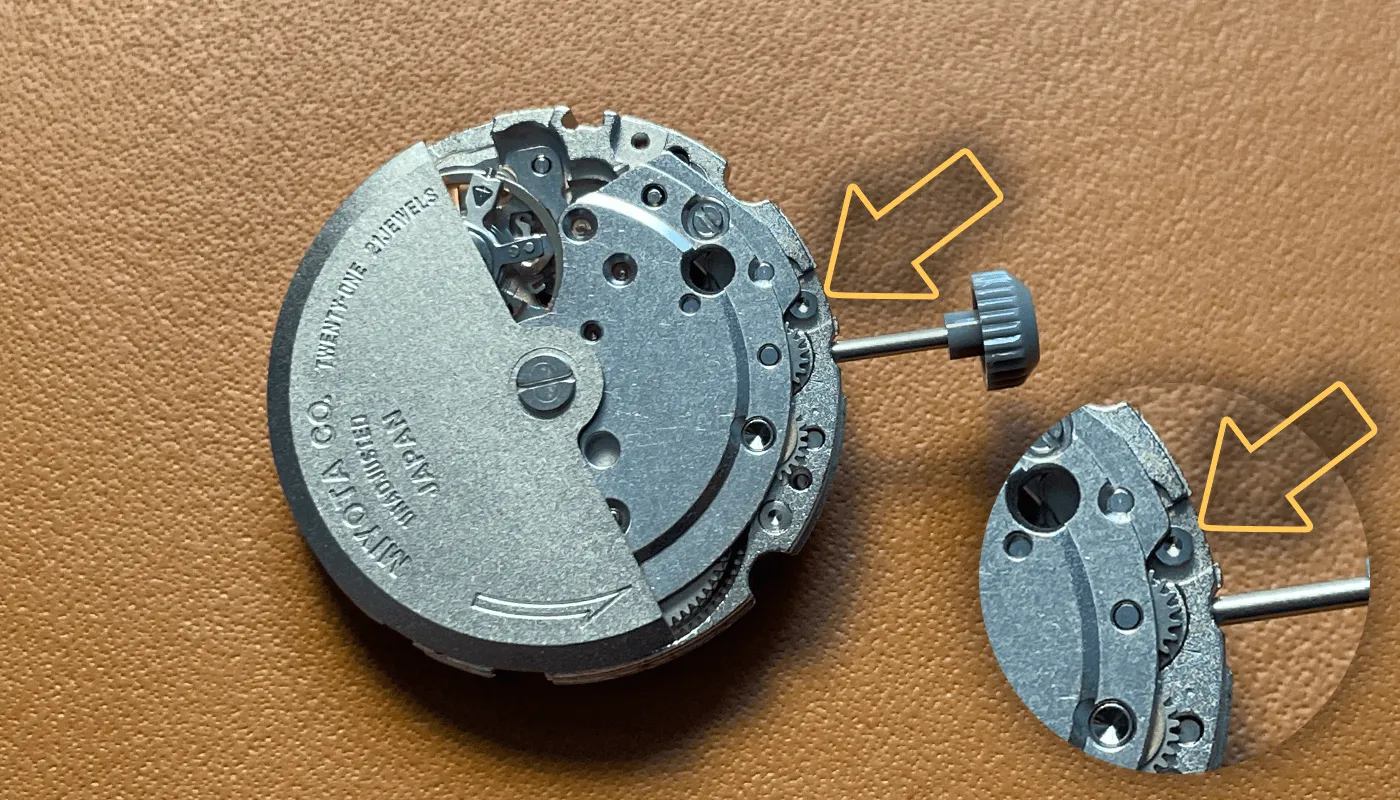
The 8215 has a small release button beside the stem (arrowed above). Press it with a screwdriver or tweezers and slide the stem out. The 8215 usually comes with a temporary stem for building plus a proper one to cut for your crown, so keep both.
Refitting
To refit, slide the stem in until it stops, then turn it slowly while pushing gently. The square section has to find the square hole in the winding pinion, and you'll feel it drop in and click. On the 2824 and 2836, a light touch on the release while you push can help. If it still won't go, don't force it: see common watch build problems and fixes.
On my early builds the stem sometimes wouldn't go back in. It was always because I was pushing it straight in. Turning the crown slowly while pushing gently let the square end find its hole, and it clicked in.
Stem thread and crown tap sizes
Crowns are sold by the thread size inside them, usually given as a “tap” number. Order a crown with the wrong tap and it either won't screw on or will strip.
| Movement | Stem thread | Notes |
|---|---|---|
| 2824 / 2836 clones | 0.90 mm (usually sold as Tap 10) | The genuine ETA stem is shared across the 2801-2 to 2836-2 range |
| Miyota 8215 | Tap 10 | Citizen stem 065-212, sold at 20.1 mm before cutting |
| 2813 | Check with the seller | Often sold as matching the 8215, but I couldn't find a published spec |
One warning: tap numbers aren't a universal standard. Tap 10 = 0.90 mm is the common convention, but some suppliers number their taps differently, so check the thread diameter in millimetres as well as the tap number before you order.
On my 2813 builds I used the crown that came with the case. It screwed onto the stem first time, so I never needed to order one separately. If you're buying a crown on its own, ask the seller which movement it's for.
Crowns and tubes: screw-down vs push-pull
Your case decides which kind of crown you have, and the two are measured differently.
- Push-pull crowns just sit over a plain tube. The stem length sets how close the crown sits to the case. You want it close to the tube without touching when the stem is pushed fully in, so it can turn freely when you wind.
- Screw-down crowns screw onto a threaded tube. The stem floats inside the crown on a small spring, so the crown can move in and out a little relative to the stem. The stem has to be long enough for the crown to reach and catch the tube threads, but short enough that screwing the crown down doesn't push the stem hard into the movement.
With a screw-down crown, make your final check by screwing it fully down and then unscrewing it. It should engage the thread easily, close fully, and the crown should pop out into the winding position when released. If it won't reach the thread, the stem is too short. If you feel it pushing back against the movement before it's screwed home, it's too long.
My Explorer build has a screw-down crown. After I trimmed the stem to 11.9 mm, I checked the crown caught the tube thread and screwed fully down before gluing it.
Measuring and cutting the stem
Fit the movement in the case first, with its ring or spacer and clamps, so it's at its final height. Then:
- Screw the crown onto the uncut stem.
- Insert the stem into the movement and push it into the winding position.
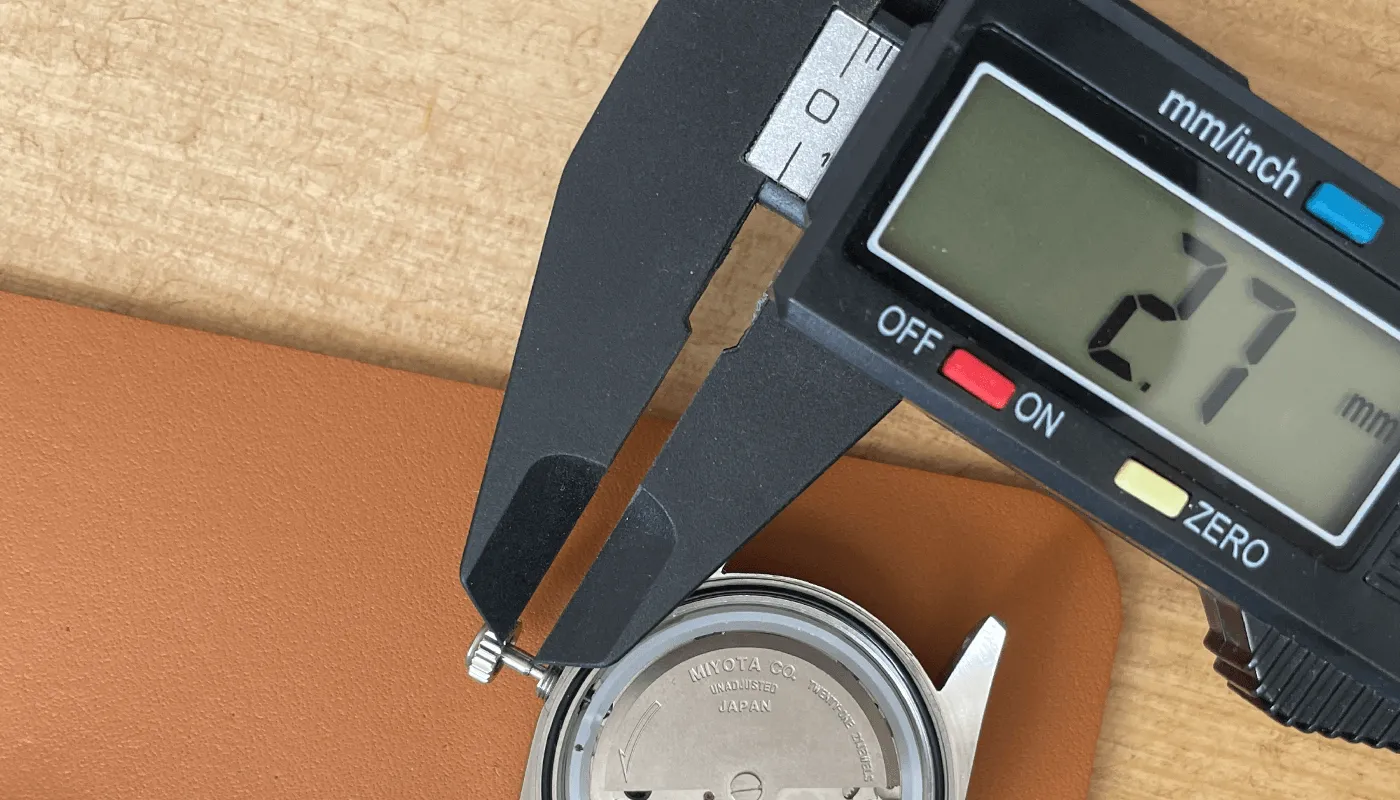
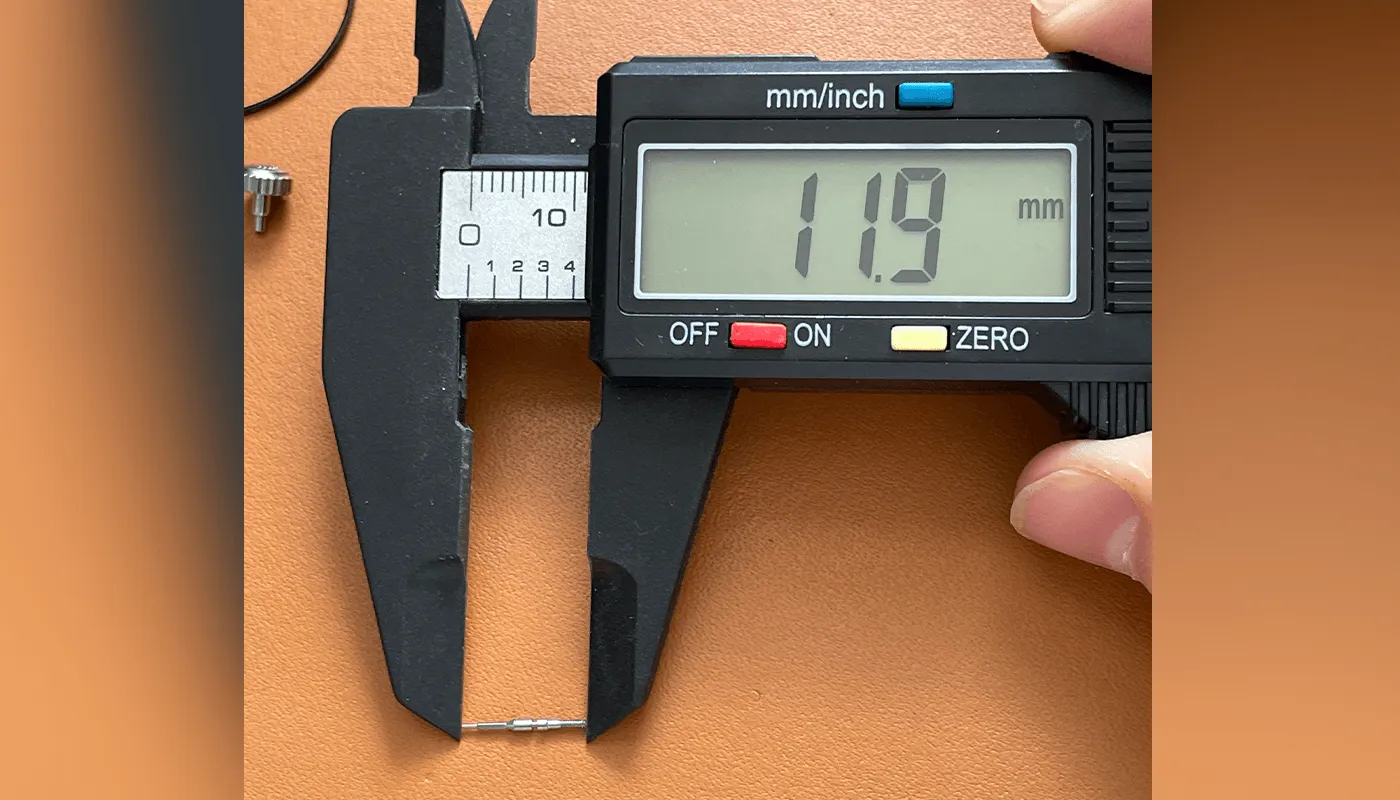
- Measure the gap between the underside of the crown and the case or tube with your calipers. That's roughly how much needs to come off.
- Take the crown off, mark the stem and cut slightly long. You can always take more off; you can't put it back.
- Chamfer the cut end (see below), refit the crown and test.
- Trim about a thread at a time until the crown sits where you want it.
On my Explorer 1016 style build with the 8215, the gap measured 2.7 mm and the finished stem came out at 11.9 mm before the crown went on. That's only for that case and crown, though, so always measure your own.
Hold the stem in a pin vice or flat pliers when you cut, not by the square end in the movement, and cut with the stem pointing away from you. The offcut flies.
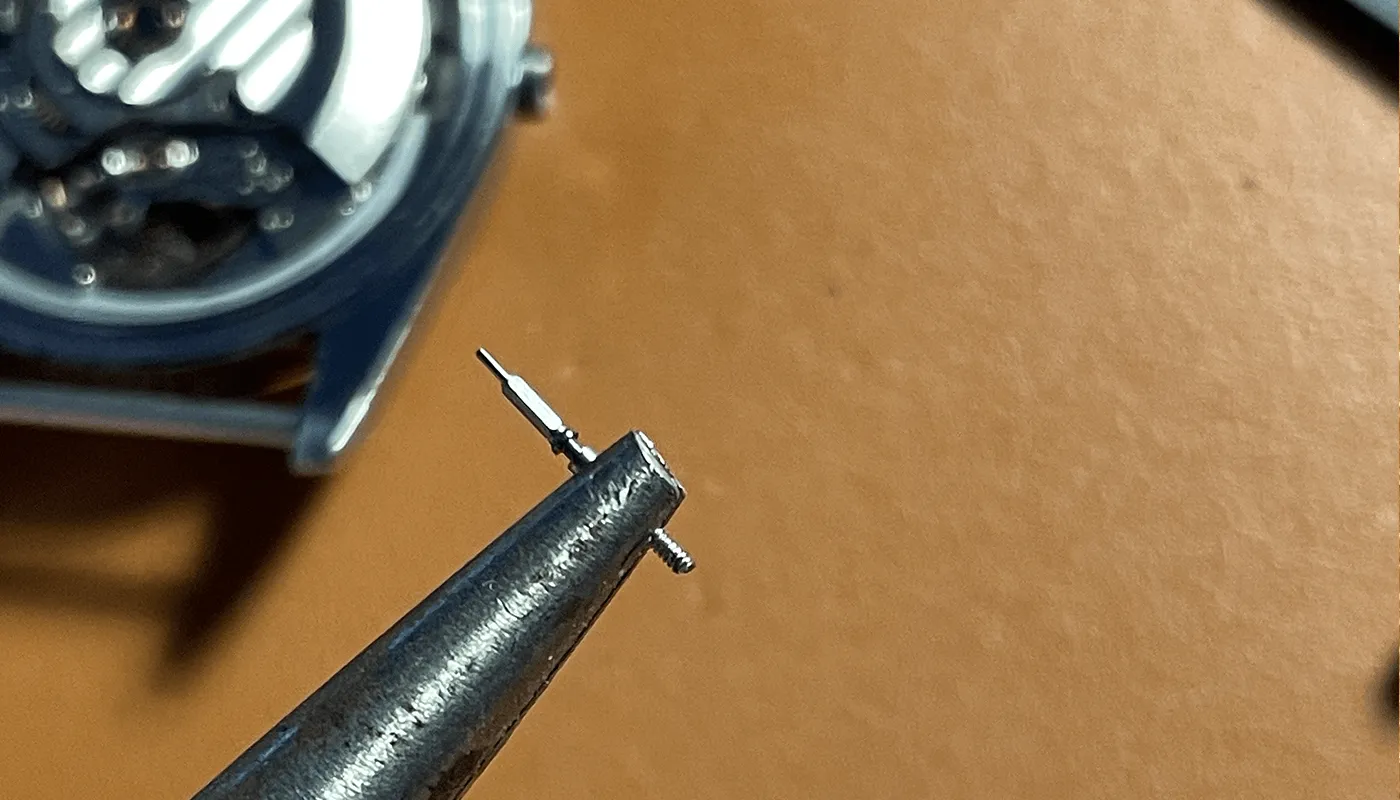
If you do cut too short, a stem extender can rescue it, but a new stem is cheap and usually the neater fix. Once you're happy, a tiny amount of thread glue or GS Hypo Cement on the thread before the final fit stops the crown unscrewing itself.
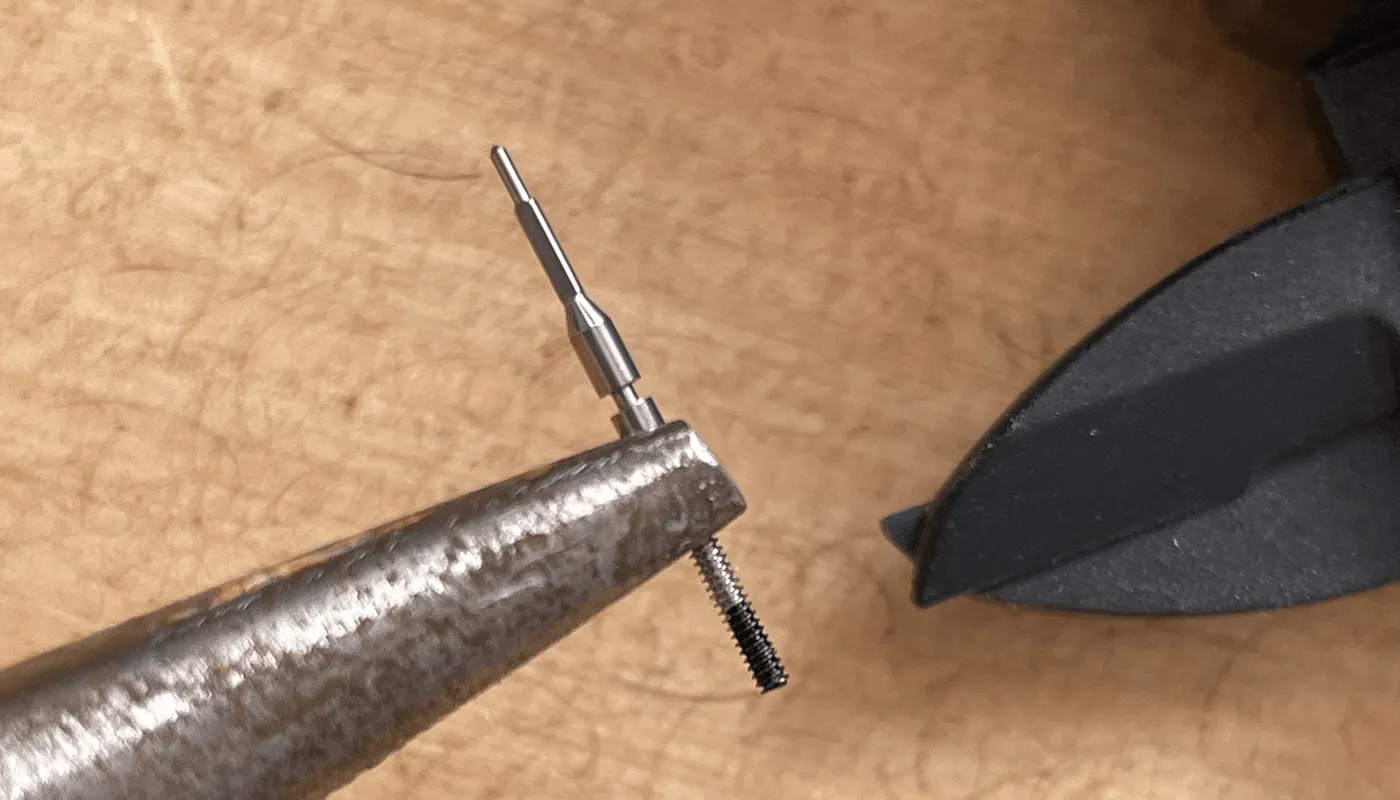
Chamfering the cut end
Cutters leave a squashed, burred end that can make the crown hard to start on the thread. File a small chamfer around the cut end, at about 45°, until the first thread is clean. Keep it small: you only want to remove the burr, not shorten the stem. Then screw the crown on and off once to check it runs smoothly.
Movement spacers and holder rings
Movements are smaller than most cases, so a plastic or metal ring fills the gap and holds the movement centred at the right height. This matters more than it looks. The ring sets where the stem meets the crown tube, and the dial-side spacer gives the date wheel room to turn.
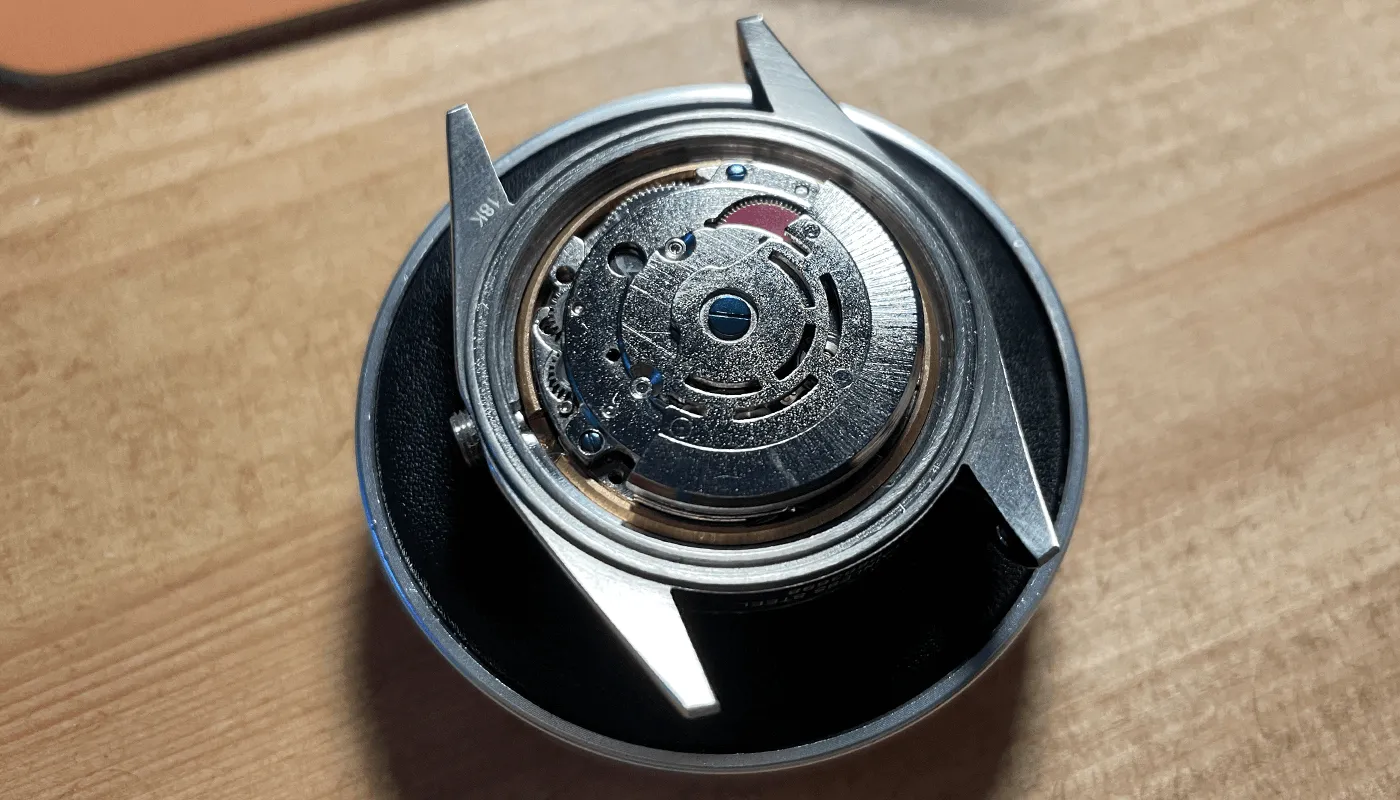
Rings aren't interchangeable between movement types. The 8215 is about a millimetre taller than a 2824, so a ring made for one puts the other at the wrong height and the stem won't line up with the tube. The 8215 usually comes with its own holder, and on my Explorer build I used that instead of the ring supplied with the case because it fitted better. If your case came with a ring, check which movement it was made for.
Dial feet alignment
The dial feet fix the dial's rotation, so if they're wrong, nothing lines up: the 3 o'clock marker won't point at the crown, and the date window won't sit over the date. Dials sold as “fits 2824 and 8215” don't always, because the foot positions differ. On a 2824, you usually keep the feet at about 2–3 and 8–9 o'clock and clip the rest. The 2813 shares its foot positions with the 8215.
Clip unwanted feet close to the dial and file the stubs flush so the dial sits flat. Check it's seated by looking at it side-on before you lock the dial clamps.
Date window and cyclops alignment
Before the case goes on, set the date and check through a loupe that the numeral is centred in the window. If it's off sideways, the dial is slightly rotated or the date wheel overlay (if you used one) isn't centred. On a case with a cyclops, put the case over the dial before you clamp everything and check the magnifier sits over the window. If it doesn't, the whole movement and dial need rotating slightly in the case, which usually means the movement ring or the feet are off.
Caseback gasket and basic water resistance
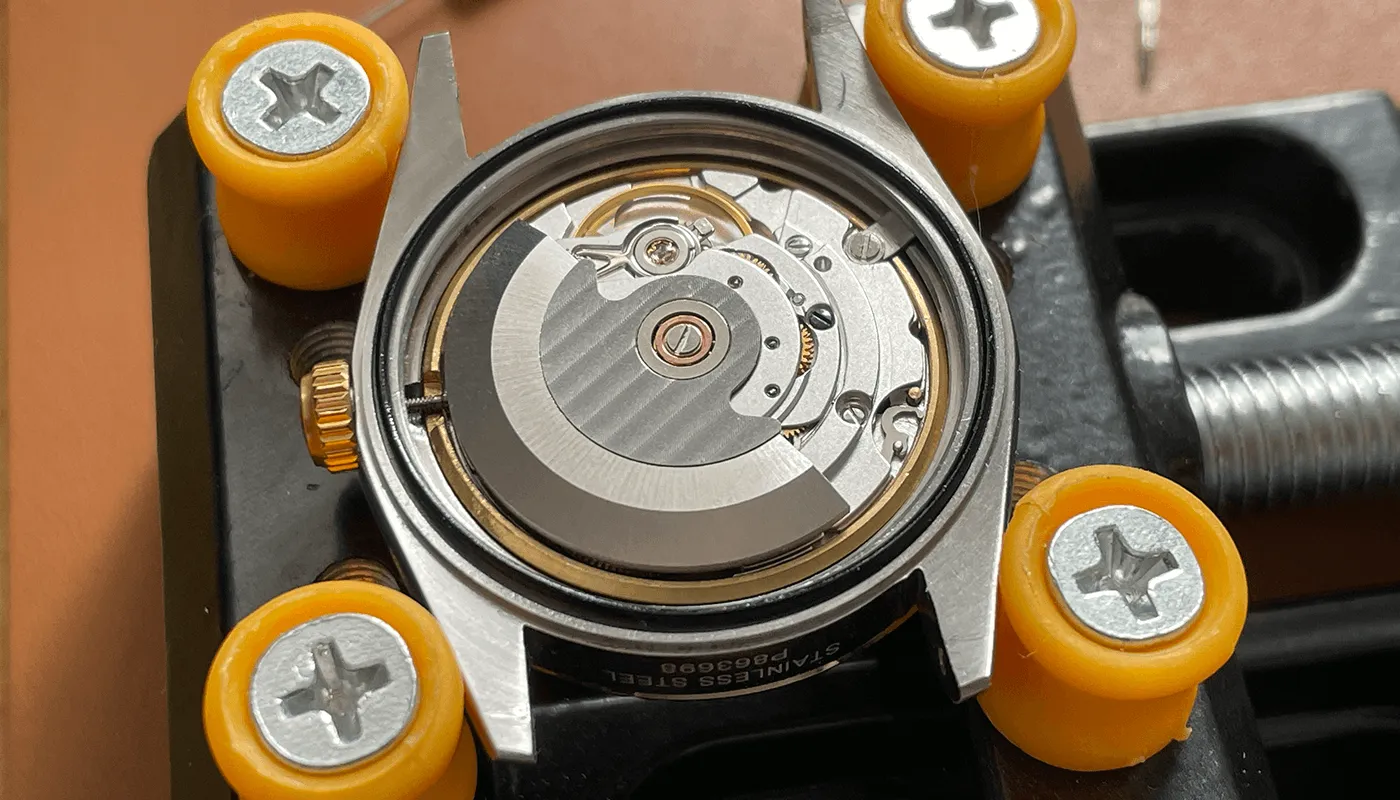
Give the case back gasket a very thin coat of silicone grease, check it's sitting in its groove all the way round, and blow out any dust before you close up. Tighten the back evenly. A pinched or dry gasket is the usual cause of a leak.
Unless you've had it pressure-tested, treat a home build as splash-resistant only, whatever the case says. Inexpensive hobby pressure testers go to around 5 bar. A simple home check is the condensation test: wear the watch for a while so it's warm, then put a drop of cold water on the crystal. If mist forms on the inside, moisture is getting in.
I haven't pressure-tested any of my builds, so I treat them all as splash-resistant and keep them away from swimming and showers.
If something isn't working once the case is closed, my build problems and fixes guide covers the usual suspects.